How to keep the inventory and maintenance of medical equipment
KIBBO brings a healthcare institution's medical equipment fleet together on one platform, whatever the manufacturer. It shows what equipment exists and where it is, the equipment history file of each device, when the next preventive is due, and what to justify the investment with to management.
STEP 1 · ON THE FLOOR
On the phone, right beside the device.
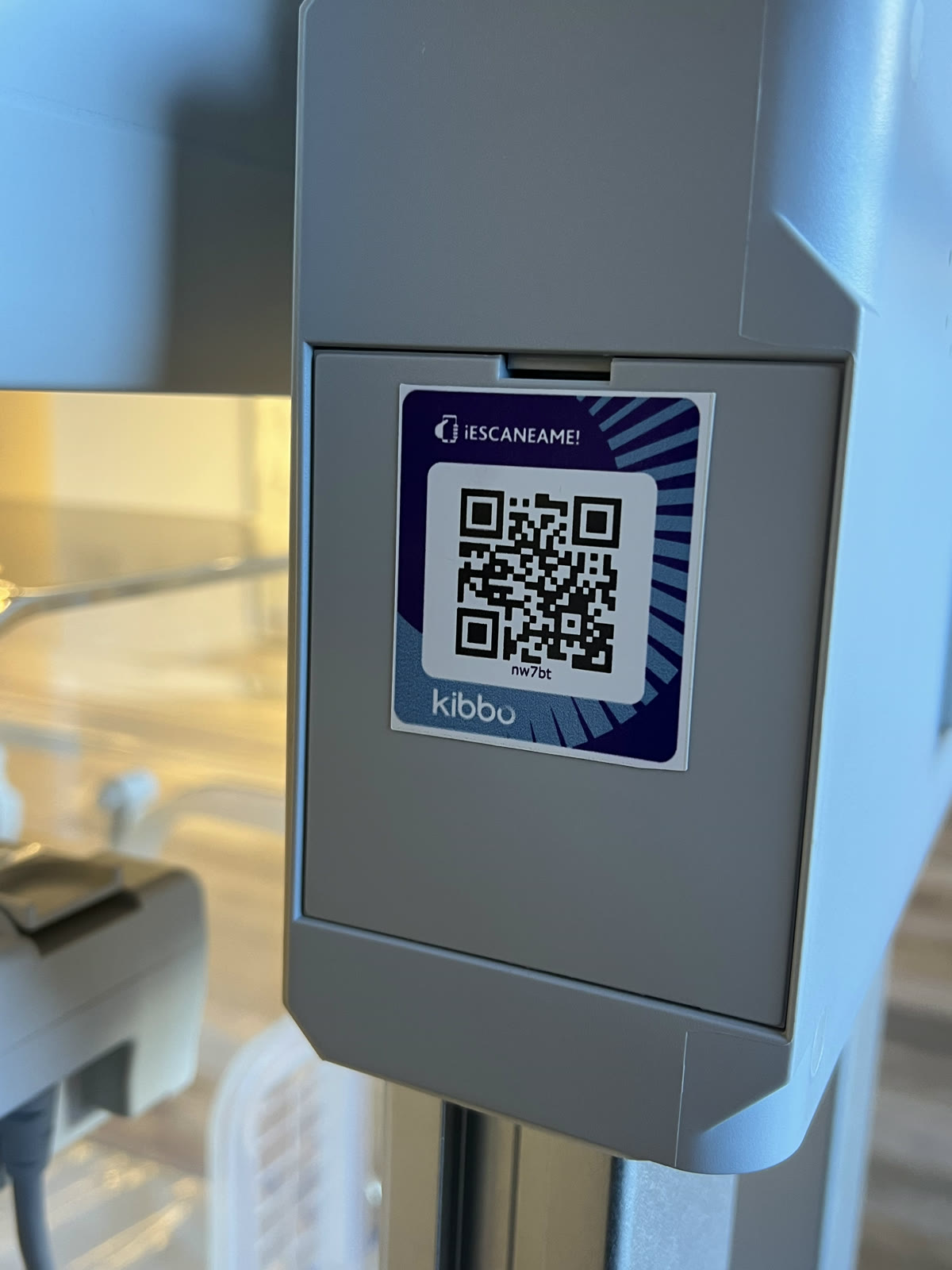
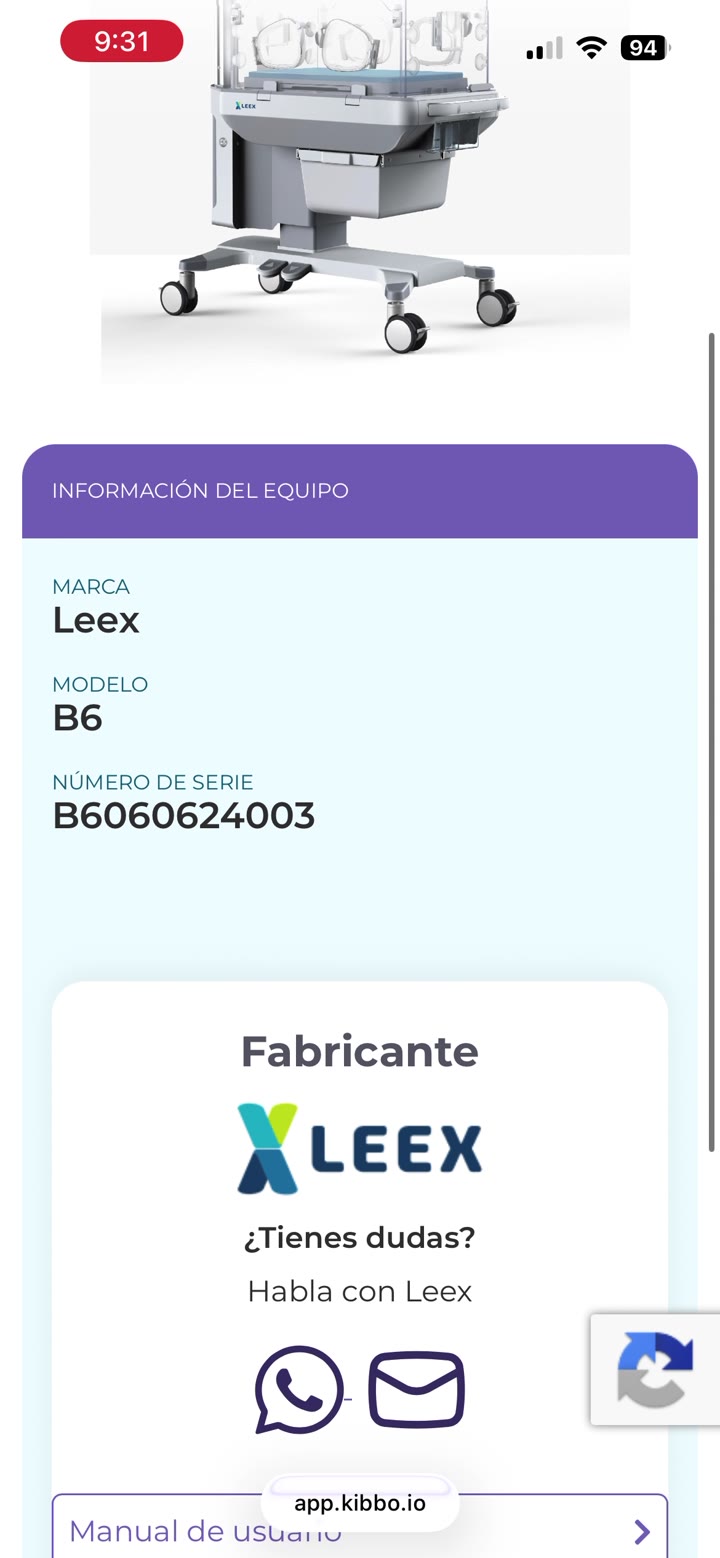
KIBBO runs on the phone: you scan the QR code stuck on the machine and its profile, its history and its next preventive appear right there. The lookup happens where the device is, not in front of a desktop computer.

STEP 2 · INVENTORY
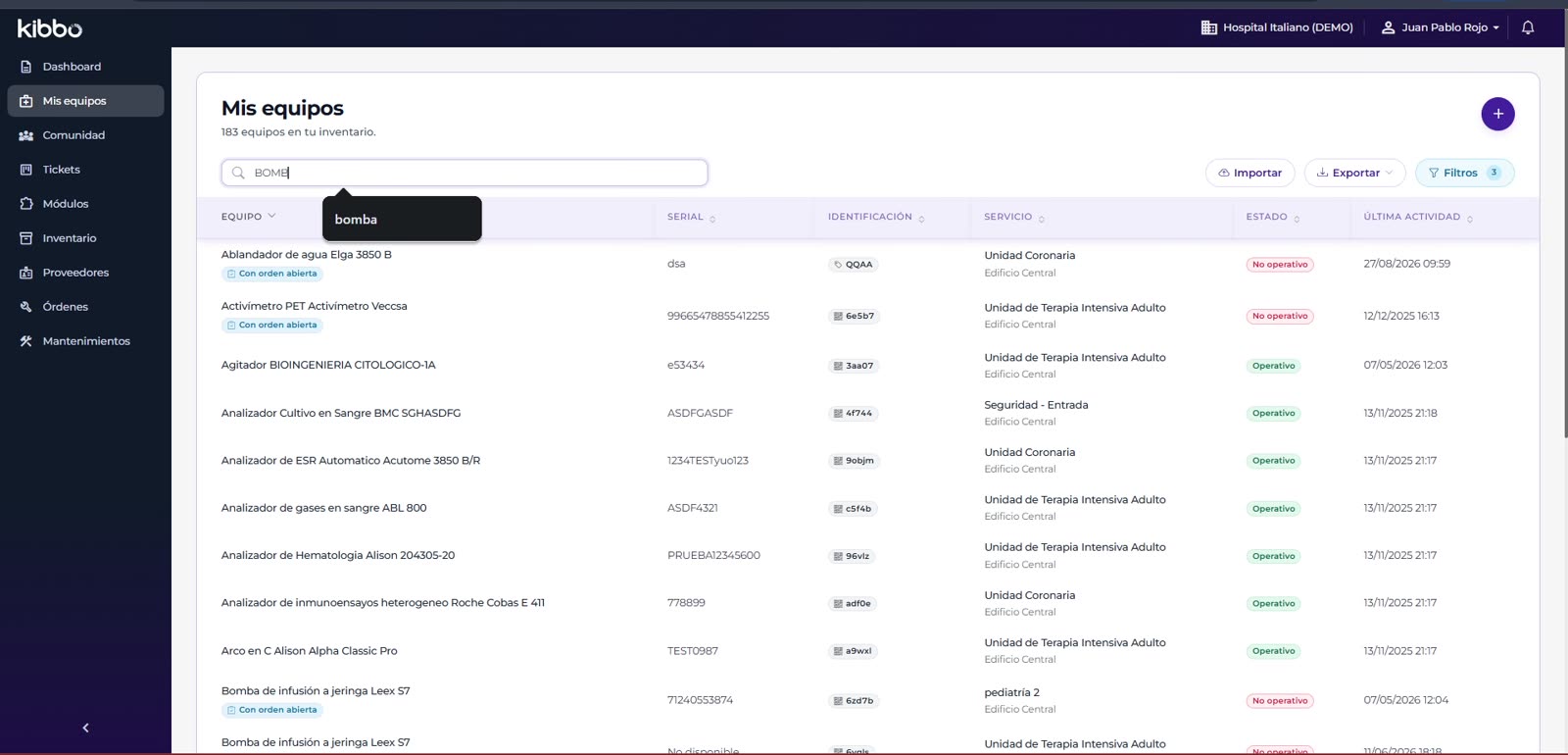
The whole fleet in one list, with its QR code.
The fleet is loaded device by device or all at once by import: each one keeps its serial, its brand, its service, its building and its status. KIBBO assigns every device a QR code; the sticker goes on the machine and, from the phone, opens its profile on the floor without hunting through a spreadsheet.
STEP 3 · EQUIPMENT HISTORY FILE
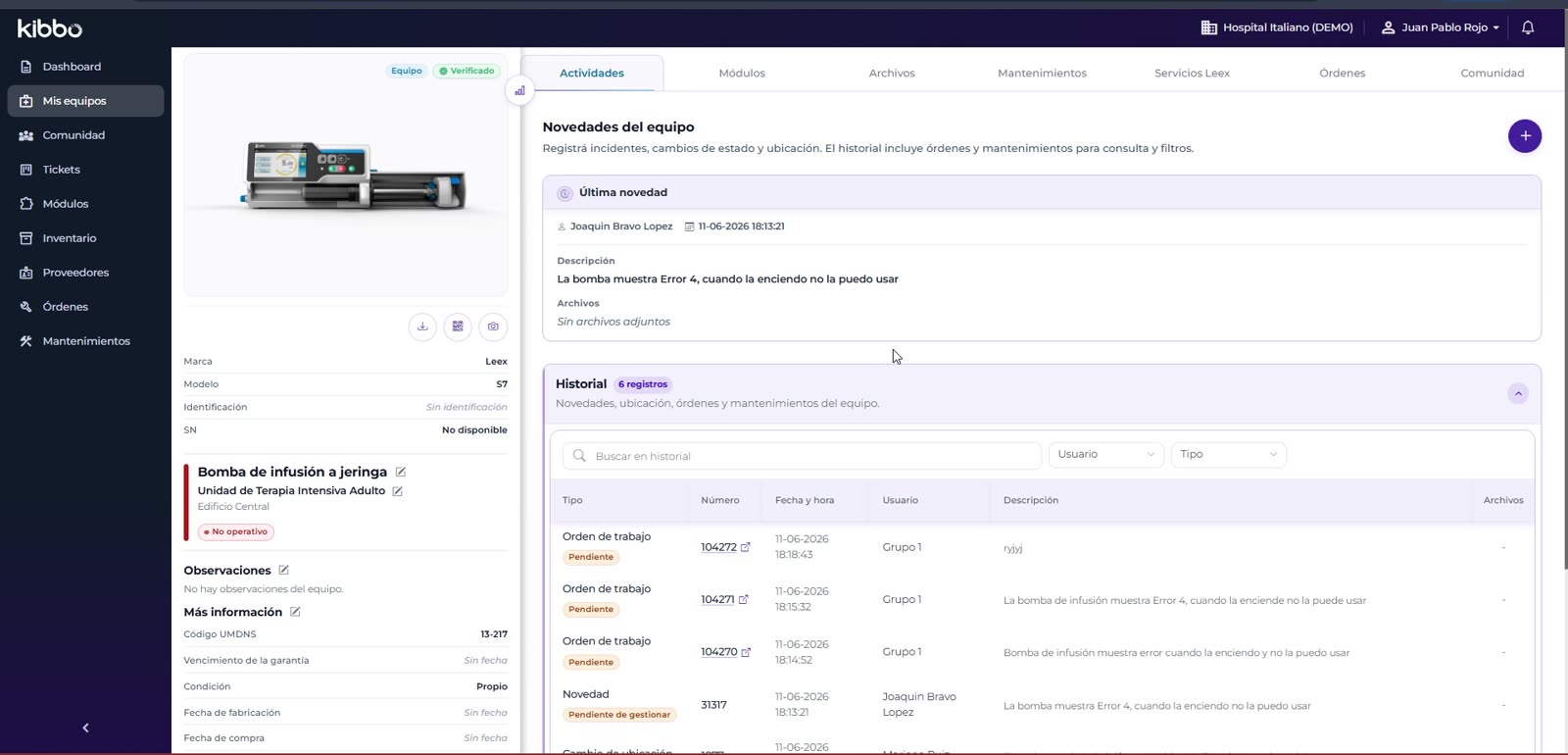
Every device, with its full history in one place.
Every device has its own equipment history file: the profile with brand, model, serial and UMDNS code, and every note and work order, each dated and signed by whoever logged it. Who repaired it, what was replaced and when it was calibrated no longer lives in papers and emails: it appears when you look it up, not once the device has already failed.
STEP 4 · PREVENTIVE MAINTENANCE
Preventive, before it turns corrective.
KIBBO tracks each maintenance task with its date and status, and flags whatever is past due as "Overdue." The due date is seen coming in the list, so preventive maintenance gets planned instead of turning into an emergency corrective, which costs more than the same task done on time.
STEP 5 · ORDERS AND TICKETS
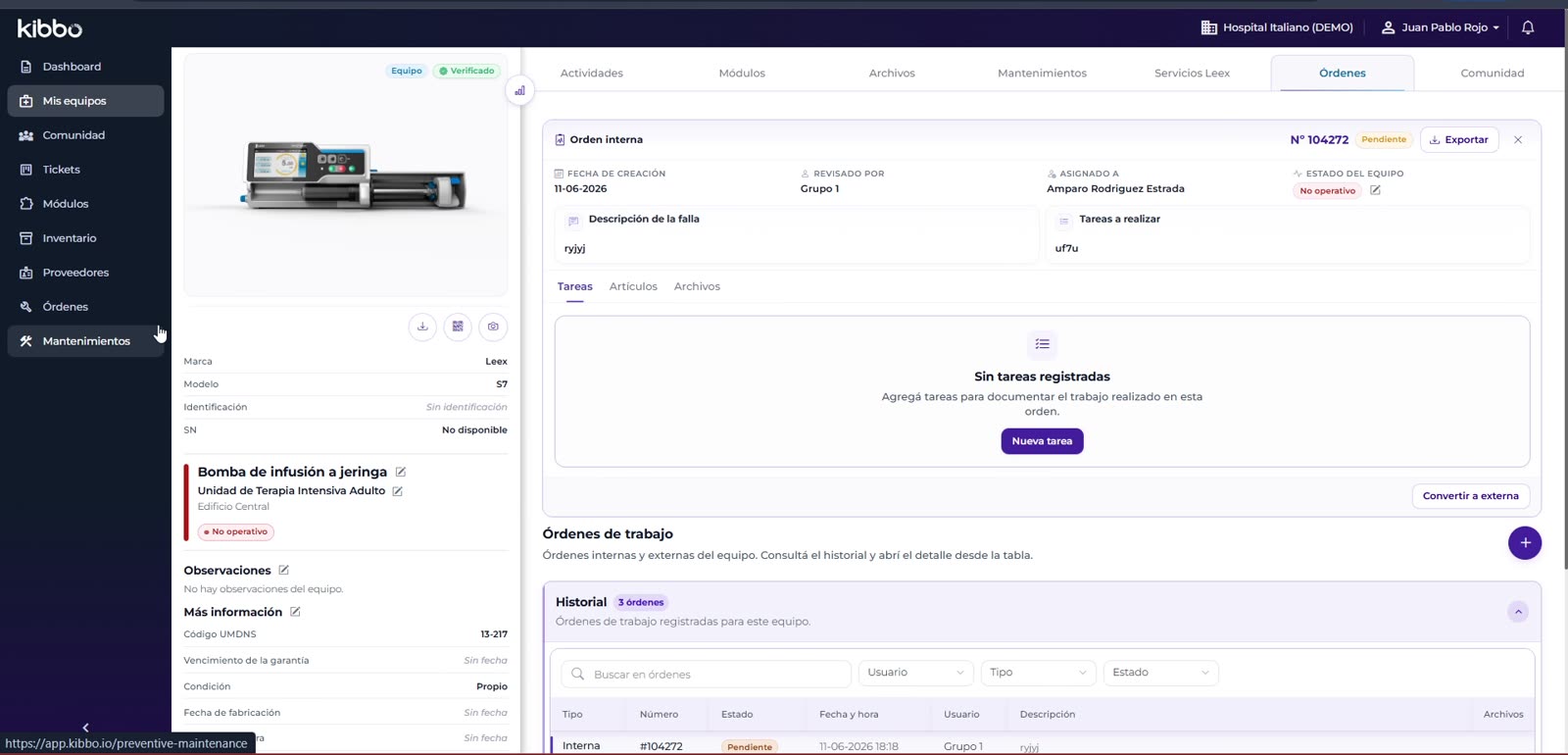
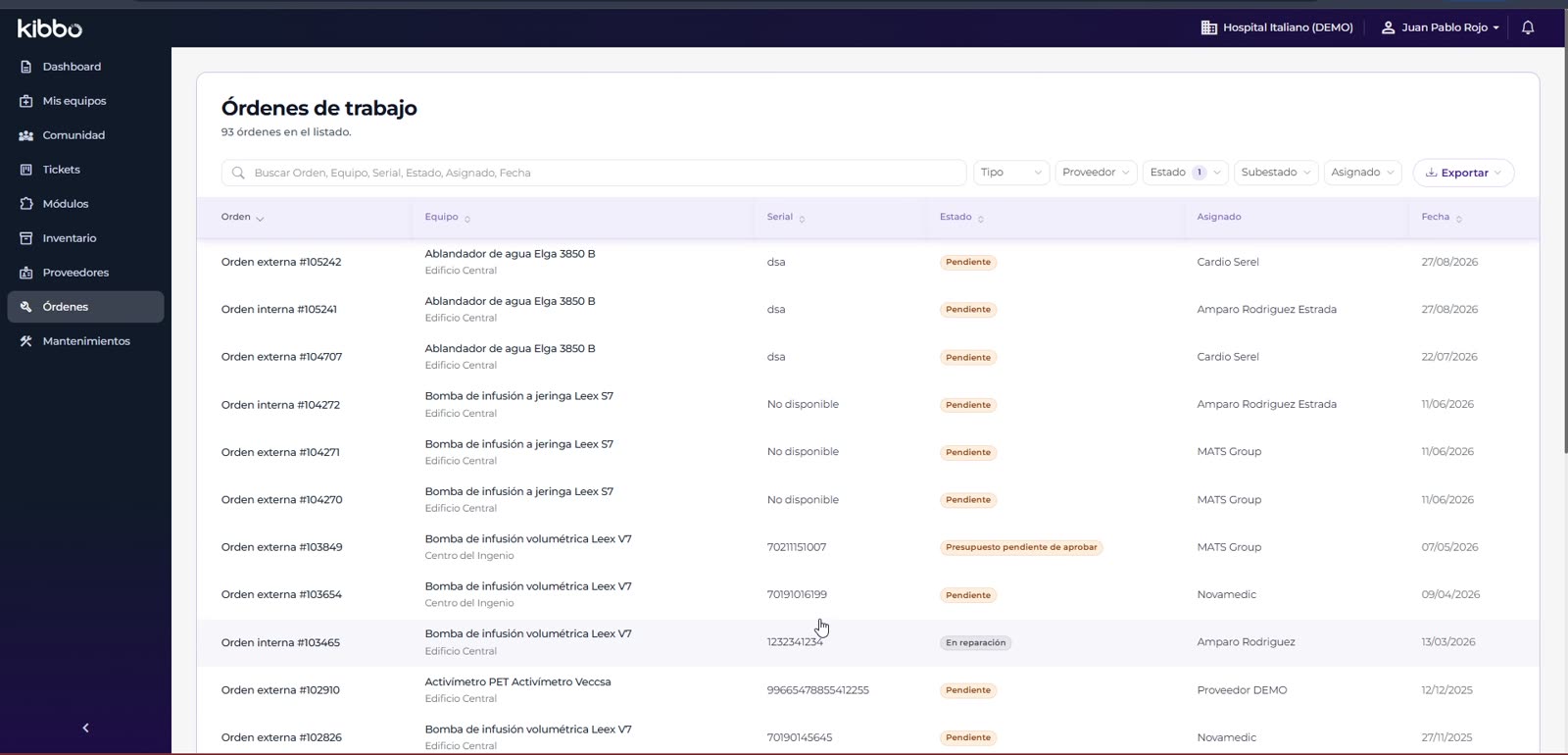
From failure to fix, with a record.
When a device fails, a ticket is opened and its work order is attached: who reports it, who handles it and what state each intervention is in. The whole flow stays recorded, and that record is what later builds the device's equipment history file.
STEP 6 · SERVICE PROVIDERS
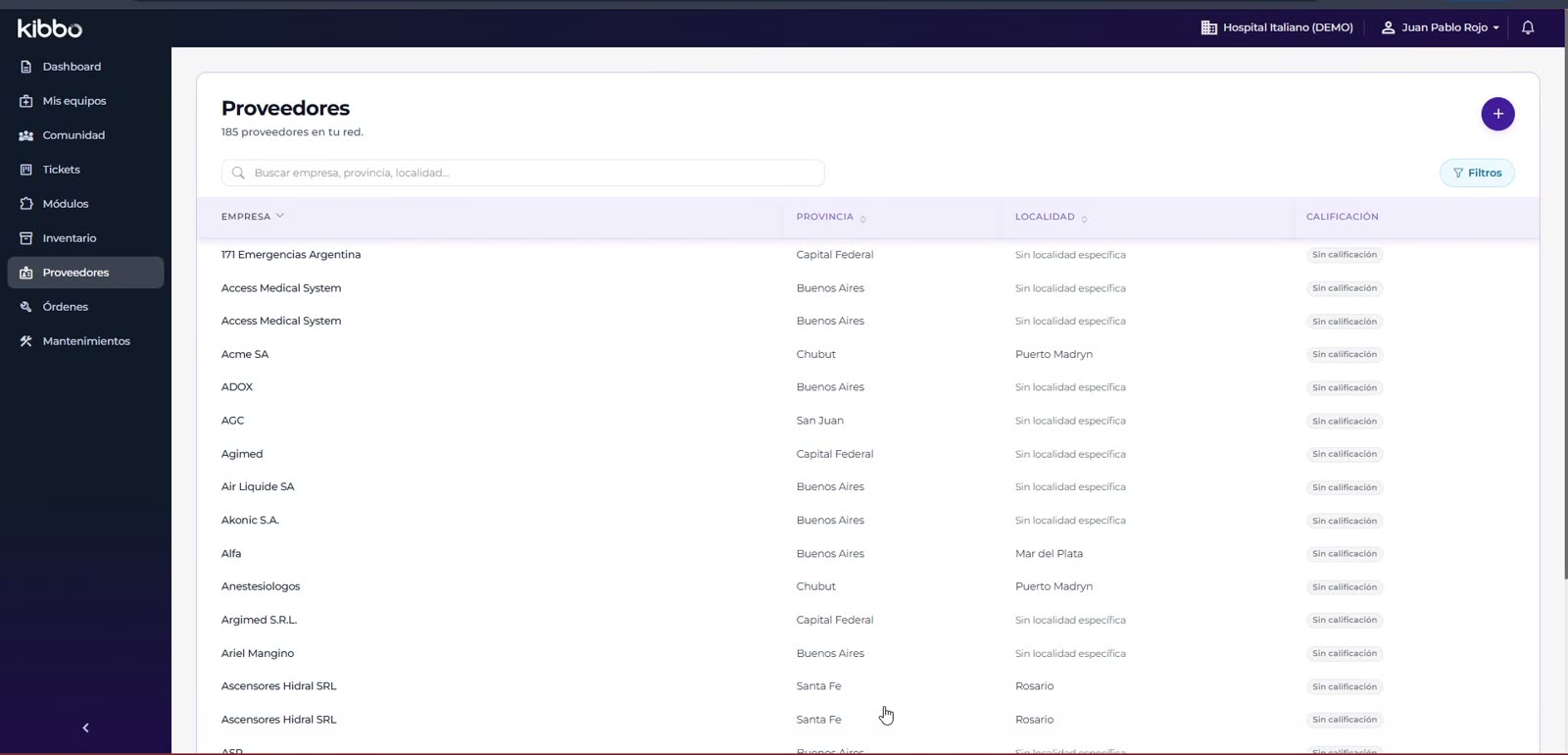
Every provider in the fleet, in one place.
KIBBO gathers the fleet's service providers, with their company, their province and their city, and links them to the equipment they service. When a machine needs service, you know who to call whatever the manufacturer, without depending on a single manufacturer or a single technical service.
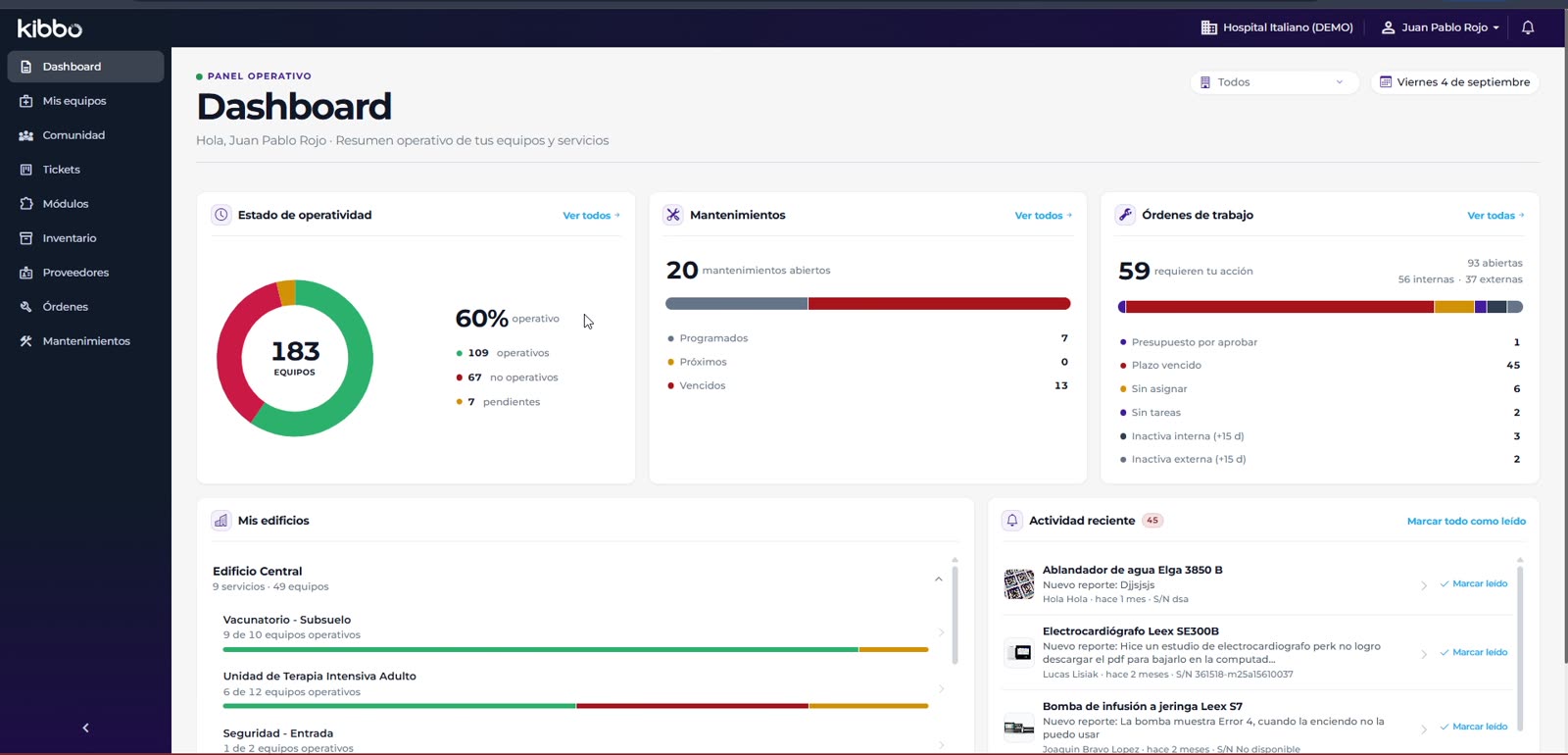
STEP 7 · DASHBOARD
The institution's real state, on one dashboard.
The dashboard brings the fleet's state together in real time: the areas, the maintenance and the devices, on a single screen. You see what is operational, what is overdue and what needs action, without going through several spreadsheets.
GET STARTED
The institution picks its plan and starts loading its equipment fleet.
The plan is chosen by the size of the fleet: devices, users, sites and storage. Trust and security answers the questions about data and security.
In summary
KIBBO manages a healthcare institution's medical equipment fleet in seven steps: inventory with QR codes, an equipment history file per device, preventive maintenance with due dates in plain view, work orders, linked service providers and a dashboard with the real state. It runs from the browser and from the phone, next to the device.
Technical content reviewed by Gustavo González, Founder of KIBBO.